Windows desktop application
MSG to PDF Converter
Convert Outlook MSG email files to PDF locally on your Windows PC.
Already purchased? Restore your license
Free trial: convert up to 3 MSG files before purchasing. No account required.
Windows SmartScreen may appear on first launch. See the step-by-step instructions.
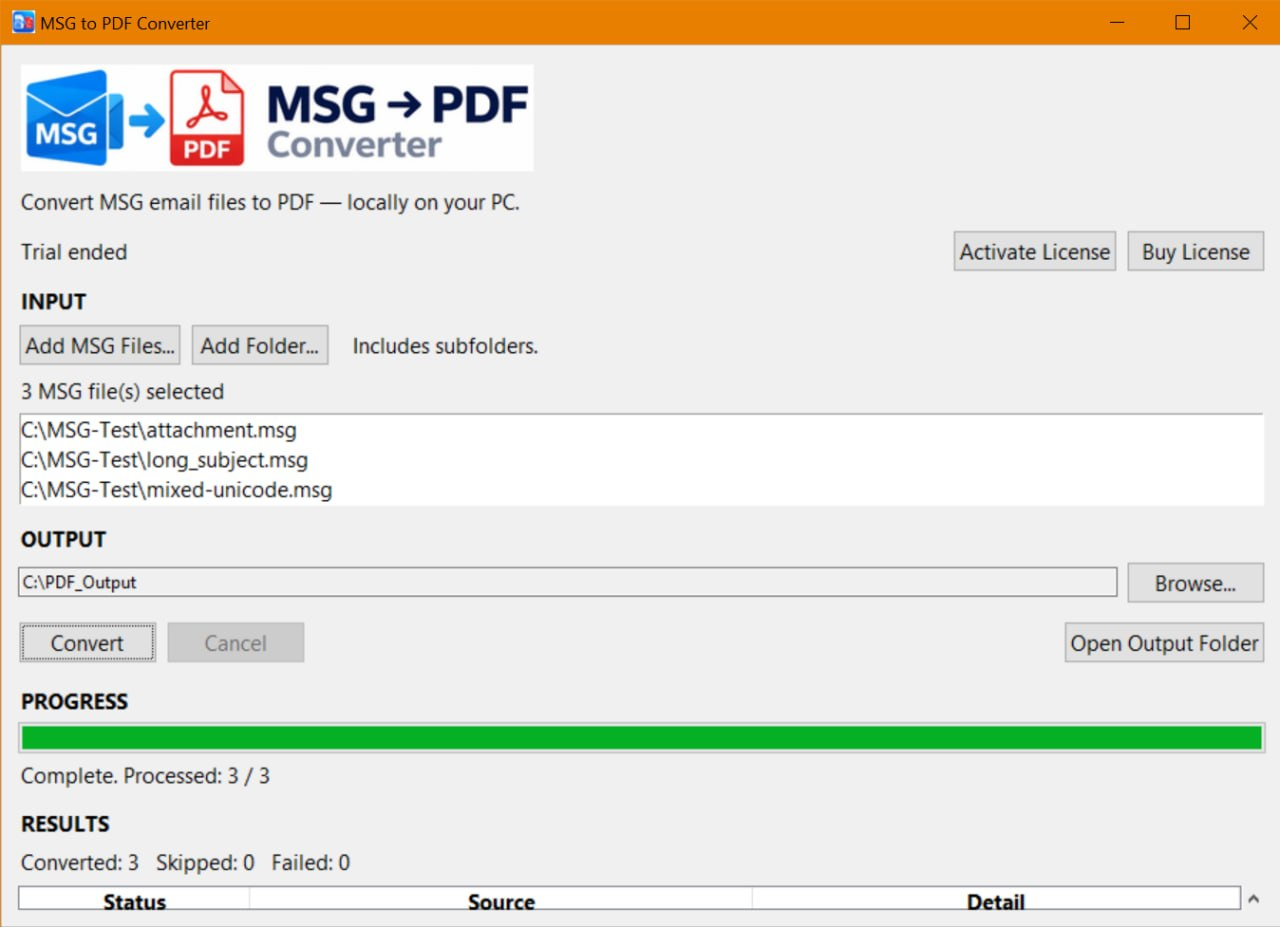
Batch convert Outlook MSG files to PDF
- Convert individual MSG files.
- Convert multiple files in one run.
- Process folders and subfolders.
- Preserve folder structure where applicable.
- List attachments in the PDF and save them separately.
- Convert HTML, plain text, Unicode, and CJK email content.
- Use the app without Microsoft Outlook installed.
- Try 3 free conversions before licensing.
Need a focused walkthrough? See batch convert MSG files to PDF, convert MSG to PDF without Outlook, or convert MSG to PDF with attachments.
Convert MSG to PDF without Outlook
Your email files are processed locally on your PC.
MSG to PDF Converter
MSG to PDF Converter is a Windows desktop application for converting saved Outlook .msg email files to PDF. Microsoft Outlook does not need to be installed.
If you are comparing saved email formats, see which email to PDF converter to use on Windows.
License activation and purchase
License activation and purchase flows may require an Internet connection and may communicate with payment or licensing services.
Buy a license key for MSG to PDF Converter.
Already purchased? Restore your license
Preparing your license...
Your payment was successful. We are preparing your license key now.
1. Download MSG to PDF Converter
Download for Windows2. Copy your license key
3. Activate
Download/install MSG to PDF Converter, open it, click Activate License, paste the key, and activate it while connected to the Internet.
MSG to PDF questions
Can I convert MSG to PDF without Outlook?
Yes. MSG to PDF Converter reads saved Outlook .msg files directly, so Microsoft Outlook does not need to be installed.
Can I batch convert MSG files to PDF?
Yes. You can select multiple MSG files or process an entire folder in one run.
Can I convert MSG files in subfolders?
Yes. The converter can process subfolders and preserve the source folder structure where applicable.
Are my MSG email files uploaded?
No. MSG file reading and PDF creation are performed locally on your Windows PC. License activation and purchase may use an Internet connection.
What happens to MSG attachments?
Attachments are listed in the PDF and can be saved separately alongside the converted output.
How many MSG conversions are free?
The trial includes three successful MSG-to-PDF conversions before licensing is required.